What Should You Buy Instead of the Roborock S6?
The Roborock S6 was one of the best robot vacuums of its generation, but it is now several generations behind modern models. It lacks self-emptying, automatic mop washing, advanced obstacle avoidance, and the much stronger cleaning performance found in current Roborock robots.
If you're considering a used S6 or upgrading from one, these are the Roborock models worth buying today:
| Model | Best For | Why It's Better Than the S6 |
|---|---|---|
| Roborock Q10 S5+ | Best value | Much stronger suction, self-empty dock, improved navigation, and better app features. |
| Roborock Qrevo Series | Best all-around upgrade | Self-washing mops, automatic drying, obstacle avoidance, and fully automated cleaning. |
| Roborock S8 Series | Best vacuuming performance | Dual roller brushes, superior carpet cleaning, and advanced navigation. |
| Roborock Saros Series | Best premium option | Roborock's newest flagship lineup features the latest navigation, mopping, and dock technology. |
In 2017, Roborock Technology Ltd., a Chinese robot vacuum cleaner manufacturer, released their second model - the Roborock S5. Since then, it has become very popular. It had mapping, intelligent navigation, a wet mopping feature, and the S5 even remembers your home’s layout. It also comes with an app with many useful features, such as restricted areas, zoned cleaning, etc. Thankfully, we had a chance to test the Roborock S5 ourselves and were really impressed with its cleaning performance. With a long-lasting battery, strong suction, excellent climbing ability, the Roborock S5 is ideal for cleaning carpets, and it does the job really well.
Meet the newest Roborock S6
Now take all these cool things the Roborock S5 is equipped with, add some advanced technologies and there you go - you have the new, improved version of the S5, Roborock S6. The robot vacuum is already on Amazon for $259.99. We have a great opportunity to review the Roborock S6.
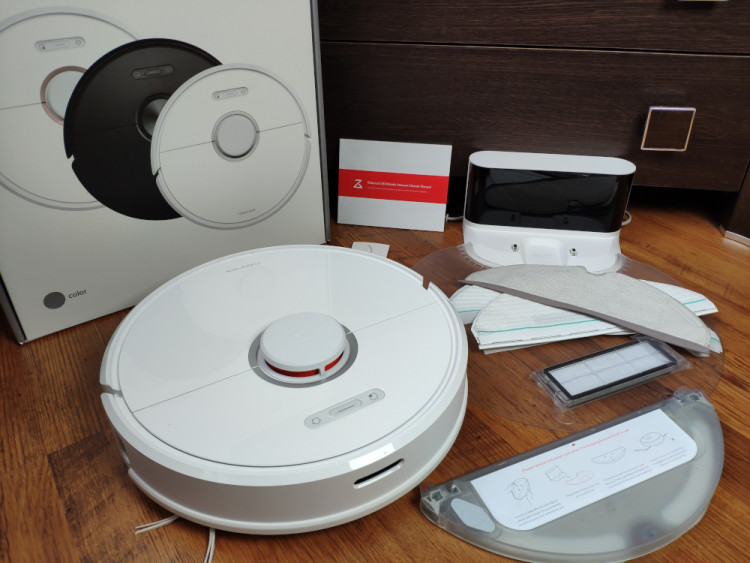
The Roborock S6 takes everything we loved about the original Roborock S5 and adds some unique and impressive features: the ability to divide your house map into separate rooms, stores up to three maps in its memory, has a reduced noise level (compared to the S5 model) and improved navigation algorithms which provide ~10-20% faster cleaning. Many users have been wishing for these features since the release of the S5 model.
Now let's talk about other things that have changed. Don't waste a minute longer let's go for it!
Roborock S6 highlights
- Can do mopping and sweeping at the same time.
- Among the strongest suction power and pick-up ability in the industry.
- Can recognize carpets. When the robot is on a carpeted surface, the suction boosted up to its max level.
- Identifies rooms after cleaning. When it finishes the job, it automatically divides the map by rooms.
- Thanks to the 20 mm (0.78 in) climbing ability, it is suitable for thicker carpets and can easily overpass a door threshold (if below 2 cm).
- Supports virtual blocked zones which allows you to forbid the robot from going to certain places in your house.
- You can schedule the robot to clean specific rooms in the specified time.
- Comes with a 2-year warranty, the longest in the industry.
- Has the longest-lasting battery (5200mAh) on the market and supports recharge & resumption, making the robot suitable for bigger homes.
- Thanks to the LIDAR and SLAM technology, it remembers your floor plan.
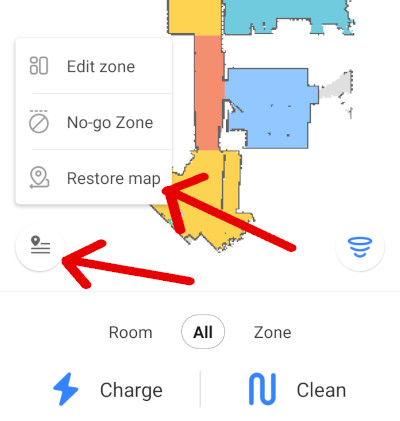
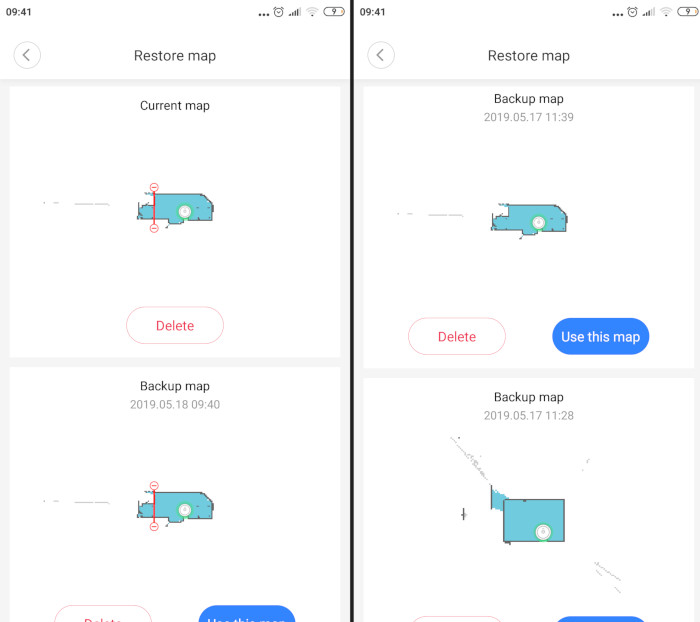
- Stores up to 2 different floor plans: one current map, one backup map, and one map with block-off zones saved.
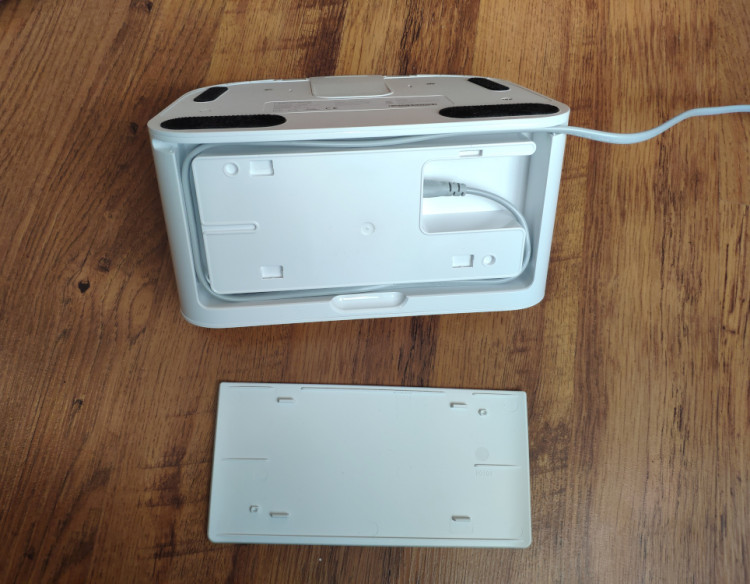
- The power cord can be hidden inside the charging dock.
- Builds a very accurate map of your house; you can watch this process in real-time on your iOS or Android phone in the Mi Home app or Roborock app thanks to the three powerful processors housed inside.
- The cleaning brush parts are detachable. It is helpful when you are cleaning the brush from pet and long human hair.
- Even though it has strong suction, it is not as noisy as other robot vacuums on the market and 50% quieter than the S5.
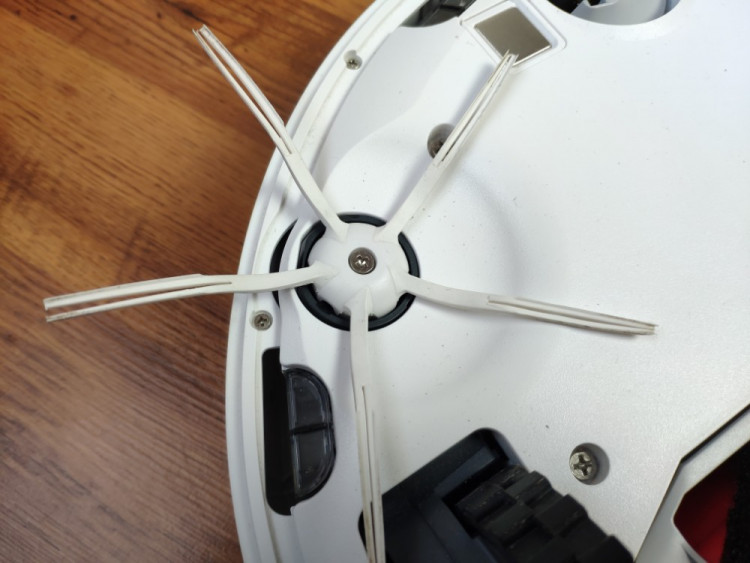
- Has a rubber side brush: we have not seen anything similar before, and it looks like the new, improved brush will last longer.
Roborock S6 video review: unboxing, cleaning test, app screencast
Design and appearance
The first thing that comes to mind when opening the package - the new fantastic box of the Roborock S6. It looks much better than all the previous models we've seen from Roborock so far.
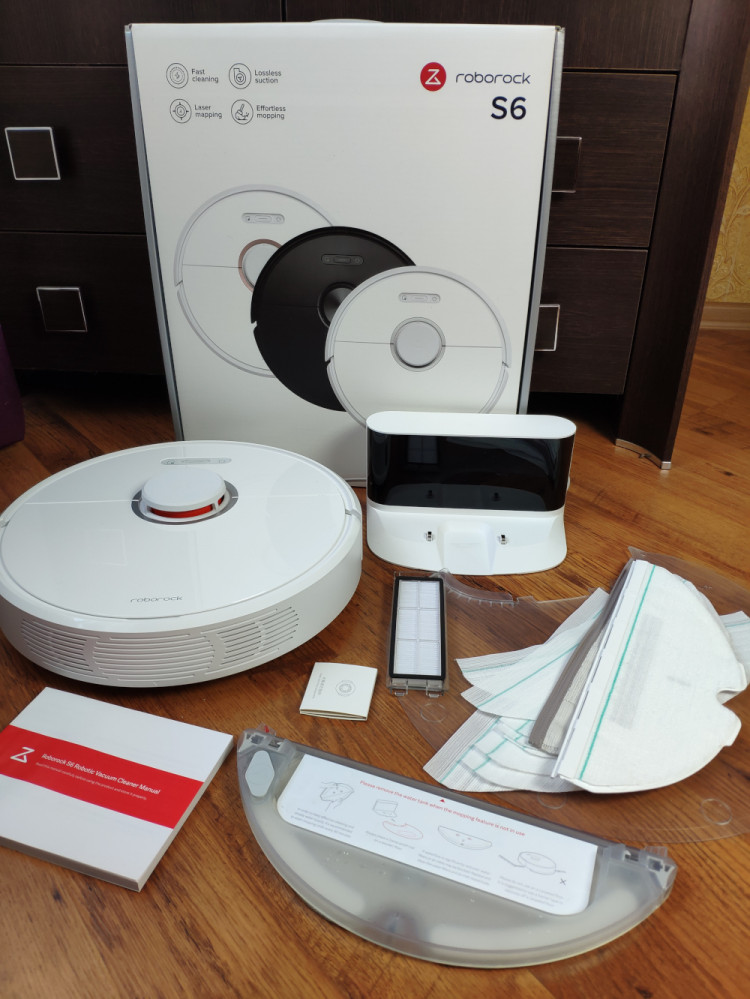
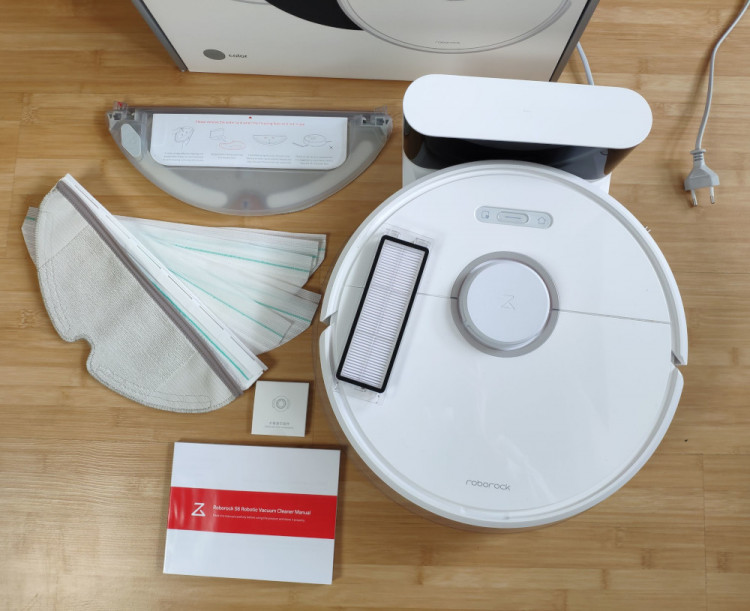
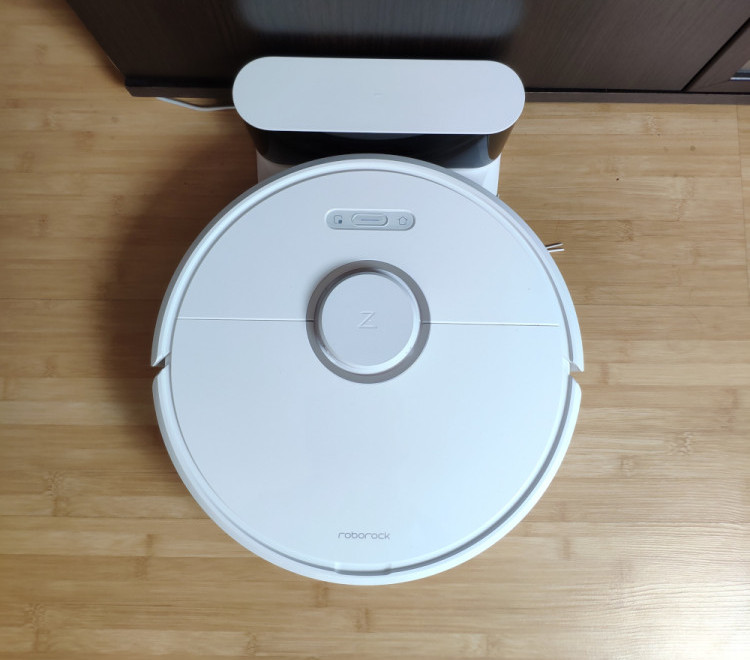
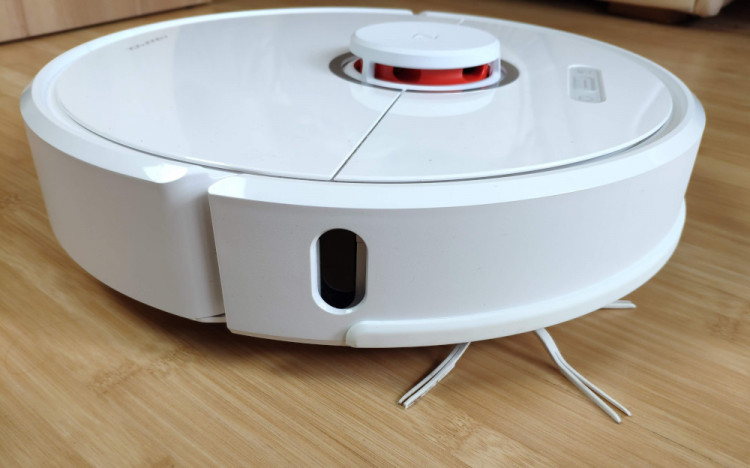
There is no significant difference in the design between the Roborock S5 and the newest Roborock S6. It has the same glossy finish, a tower with a LDS laser on top and the Roborock logo written on the lid. I have no complaints about the design; it feels like the Roborock is the iPhone of the robot vacuums world with the high build quality and attention to details. All in all, everything looks polished and well thought out.
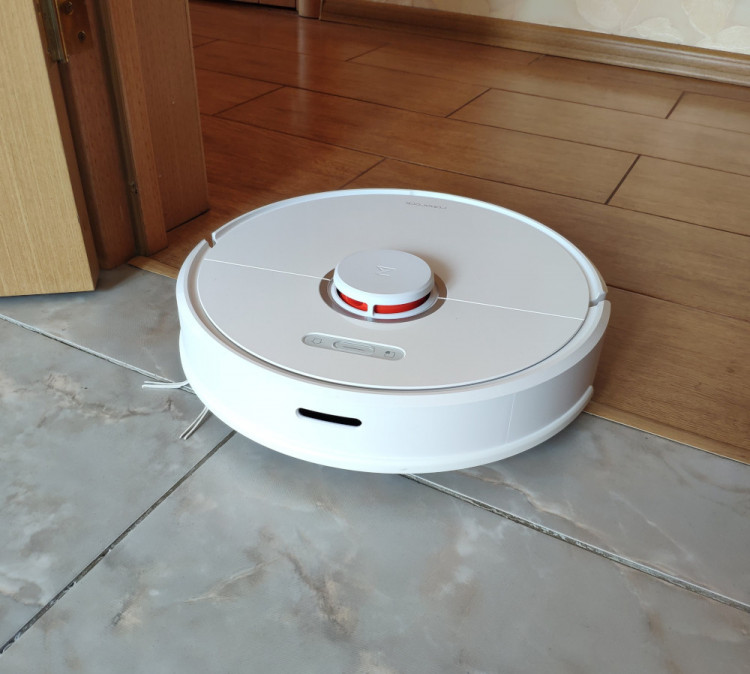
As with the previous model, the Roborock S6 has three buttons on the top: power, return to the dock, and spot cleaning. It is now a solid line with buttons instead of three small round ones.
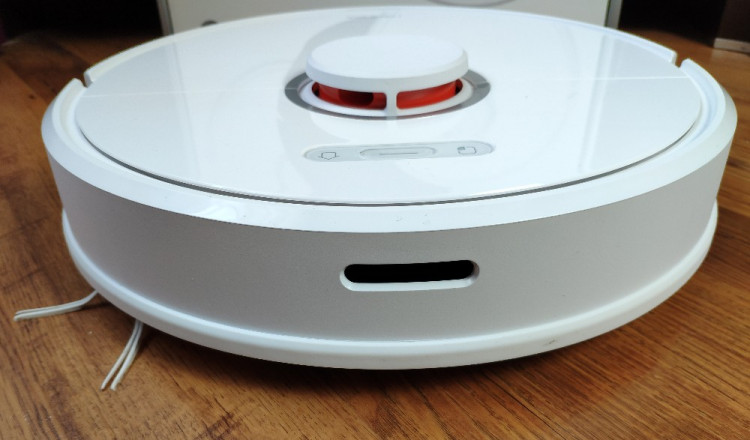
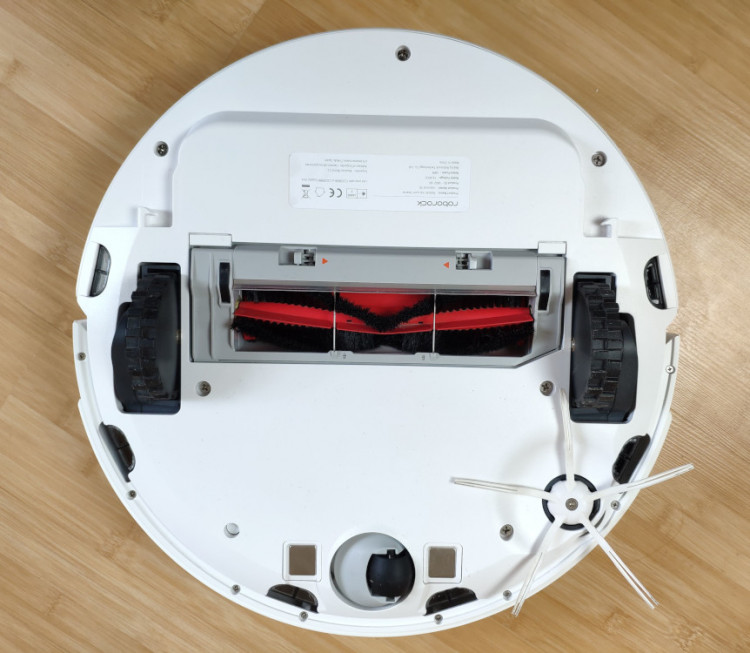
Underneath I see the same cleaning brush block, two big wheels and a side brush made of a material that looks like rubber, which I will talk about later. The central brush has detachable parts, and I will also get into the details about that below.
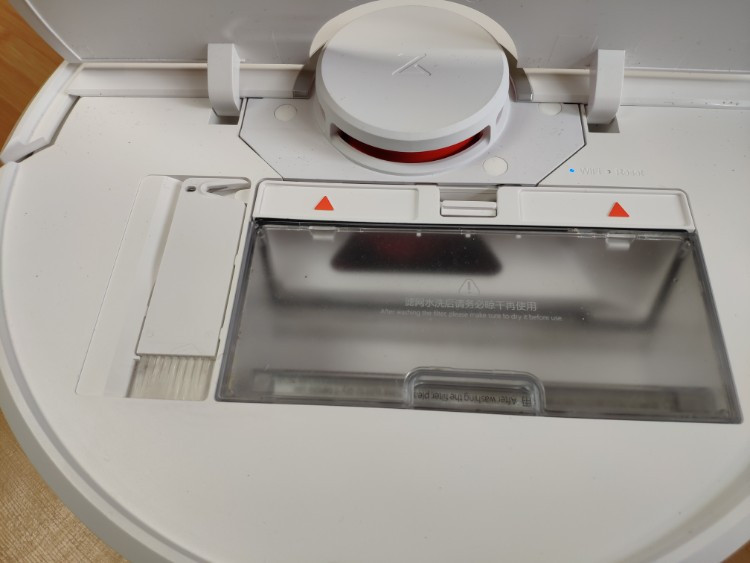
When opening the lid, I see a detachable cleaning brush housed near the dustbin, which I love so much! I always know where I can find it, instead of searching for it around my house.
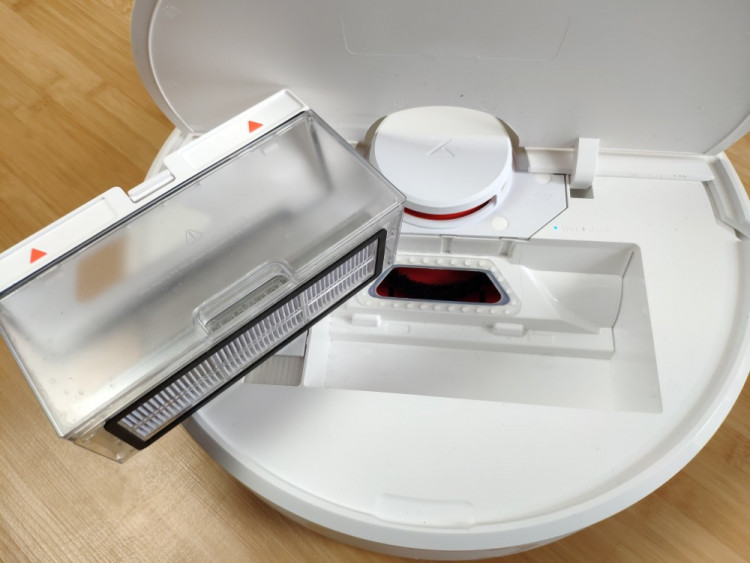
The dustbin looks the same as the one in the Roborock S5.
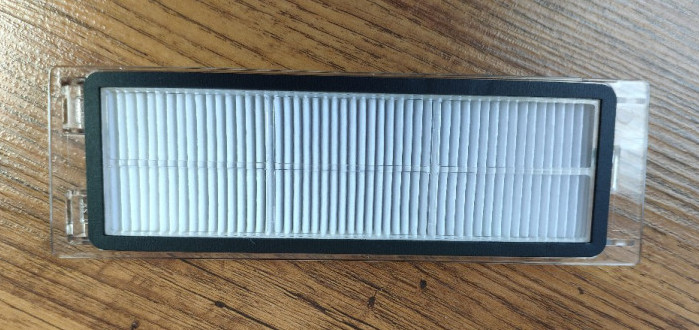
It has the same size and washable HEPA E11-grade filter that captures at least 95% of airborne particles 0.3 micrometers in diameter. It is a bit safer for those who have pets and suffer from allergies or asthma. It will last longer than a non-washable one.
Now let's talk about the charging dock. It is a wow! It looks so much better than the previous one.
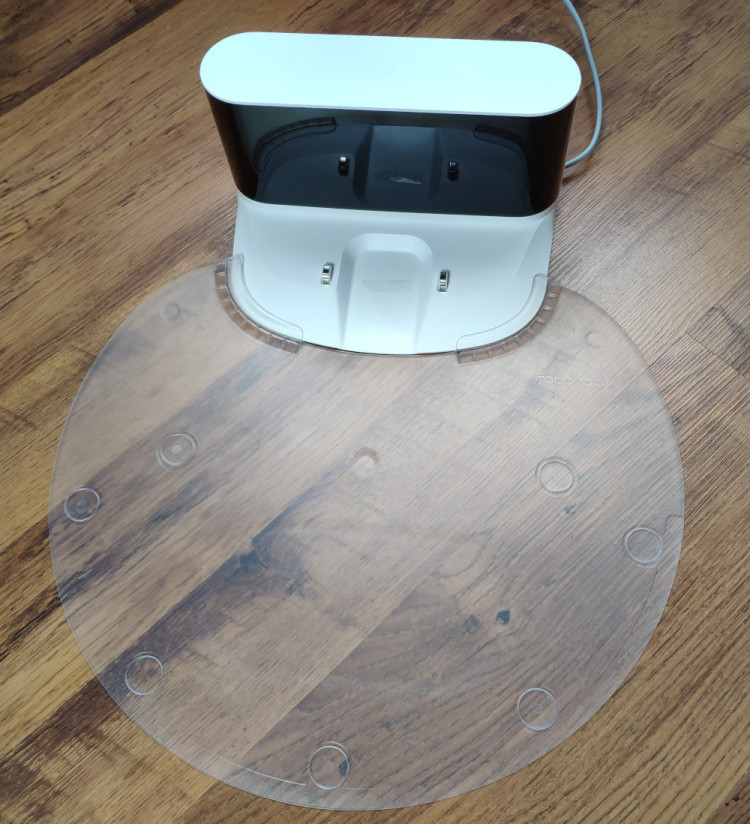
In the 360 S6 reviewed recently, I loved how I could hide the charging cable inside the dock so it would look sleeker. The Roborock S6 has the same solution. The dock is black and white, which is not surprising due to the overall minimalist design. Behind the base, there is a room where you can adjust the length of the cord. Now instead of me figuring out how to hide the cable, I just hide the amount I don't need behind, and voila! The whole construction looks much better.
Smarter and faster navigation: improved LDS and SLAM algorithms
The Roborock S6 has a tower on the top with an LDS (laser distance sensor) housed inside. The LDS sensor rotates 360 degrees and scans the surroundings. Alongside three powerful processors, it builds a map of the cleaning area in real-time.
The Roborock S6 remembers your home layout
The LDS sensor can see all obstacles, furniture and any walls around the robot, so the robot vacuum successfully avoids collisions and rarely bumps into anything. In my opinion, LDS mapping technology provides the most precise navigation and allows building a very accurate layout of your house, compared to robot vacuums that use other technologies based on a camera sensor, gyroscope, accelerometers and so on.
Mapping allows the robot to clean faster by preventing it from going over the same already cleaned areas twice. Based on my test, the S6 cleans my apartment 10-20% faster than the S5 model. You can see how much faster the LDS navigation is compared to the gyroscope navigation technology in our previous cleaning test.
When the S6 scans with the LDS, it builds the most effective cleaning path to cover an entire room in one pass. It moves back-and-forth in straight lines methodically covering the entire cleaning area. Unlike other robot vacuums that don't have mapping, the Roborock knows where it cleans and sees the zones that are untouched.
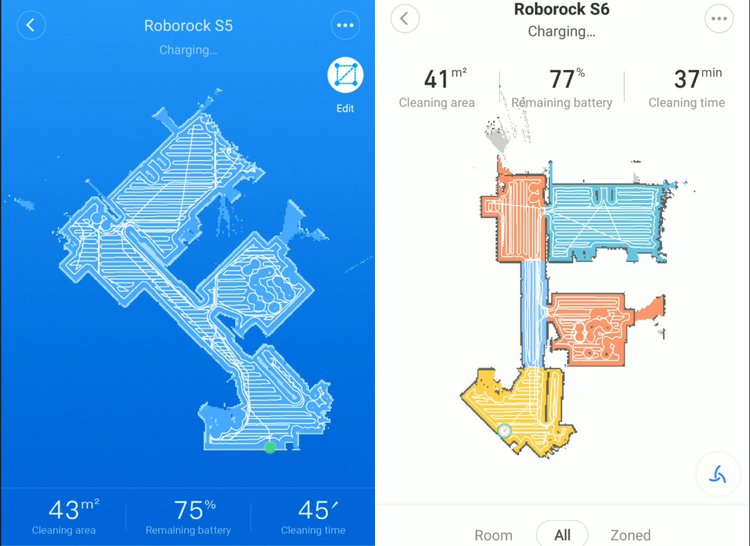
We put both Roborock models (S6 and S5) to a few tests to check if the newest robot vacuum cleans faster than the previous model. As you can see on the screenshot below, the S6 understands rooms layout and builds a more effective lengthways path in corridors and wide rooms which helps to finish the job faster. The Roborock S6 spent 37 minutes cleaning the entire apartment when the Roborock S5 needed 45 minutes to clean the same area. Based on the tests we made, you can see that the new model finishes cleaning ~20% faster. It also means that the Roborock S6 can cover a larger area on one charge.
If you manually move the S6 to another room in your house, it will recognize its new location. The previous model just rebuilds the map in this case.
On average, the Roborock S6 cleans one square meter per minute.
Cleaning performance
In terms of cleaning, we honestly didn't notice any difference between the Roborock S6 and S5, which was predictable; they both have the same 2,000 Pa strong suction and climbing ability of 20 mm. We made a few tests on carpets with both models.
The significant difference, however, is in the side sweeper. It is made of rubber. I have never seen a side sweeper like this one before. I believe this new side brush is a little bit more efficient due to the fact that it is stiffer and can catch even the smallest particles hidden in carpets.
The carpet identification works accurately, the same as we saw in the previous model; when the robot vacuum goes from hardwood flooring to carpet, it increases suction to the maximum level to provide deep cleaning. When in MAX mode, the unit does not boost suction on carpeting. The balanced mode is turned on by default in the app.
I don't have pets, but I have long hair, which is always a bit of an issue, so I try to find the best robot vacuum with an easy-to-clean brush. So far, the Roborock S5 and S6 are the best I have tested in this area. The main cleaning brush in the new model located at the bottom of the device looks almost the same as the one inside the Roborock S5. It is a mix of rubber and bristles that work perfectly on bare floor and does a great job at picking dust and dirt on carpet.
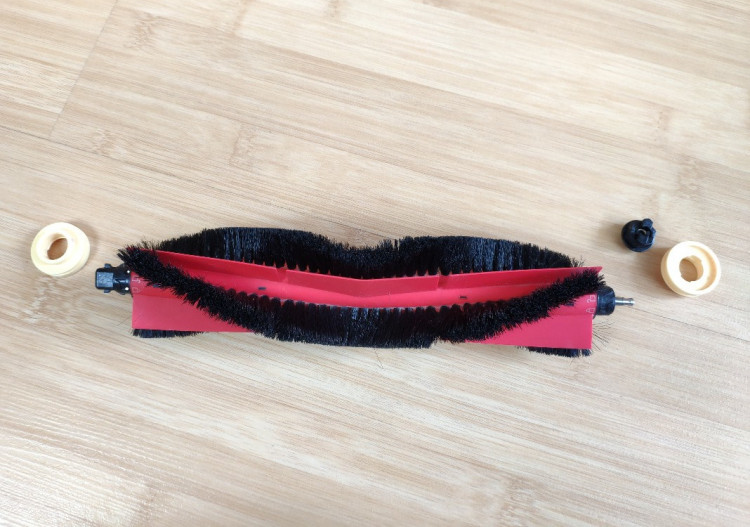
But it has one sufficient advantage over the previous model. First - the detachable parts of the cleaning brush. This is essential. The one inside the Roborock S5 is solid when the hair gets clogged in the edges, and it becomes challenging to clean the brush. The Roborock S6 has a brush with detachable side parts. this is incredible and it takes less time to unwrap the hair from the brush. As mentioned before, I have long hair, and this brush so far is the best I have seen. If you don't have pets and no one in your family has long hair, it would not be a big deal, but to me it is.
Strong suction, great climbing ability, and carpet boost provide great cleaning performance on carpet
When anything is going on during cleaning, the robot sends a notification to your smartphone so you are always aware of what is happening with the unit.
The new S6 model is quieter
Roborock claims that the newest model has strong suction but makes less noise. In MAX suction mode, it does work quieter (noise level: ~60 dB) than its predecessor, the Roborock S5 (68 dB). You can hear the difference between the models in our latest video. The manufacturer has optimized motor vibration by reducing the fan speed and boosting the efficiency of the aero filtration system. It has also filled the sound insulation cotton and noise reduction air screen near the motor. I can't prove it is 50% quieter as the manufacturer claims, but I certainly can hear the difference compared to the S5. It will not disturb you when working in the same room you are in, especially when running in balanced mode.
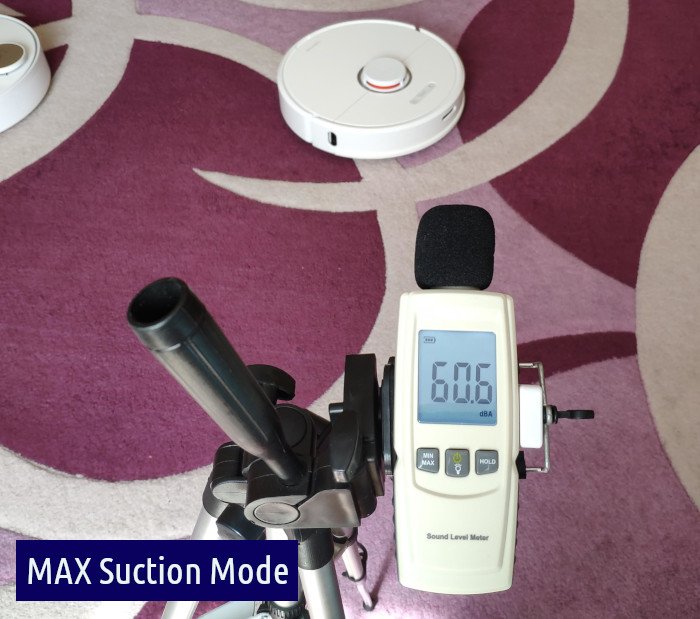
Huge thanks to Roborock: the S6 is amazing when it comes to noise level. So far we get a powerful machine that is not as loud when vacuuming, bravo!
Another thing I've noticed is the wall sensor improvements. Some users claim the Roborock S5 does not get close enough to walls. I don't know what has changed in this area, but the Roborock S6 noticeably gets closer to walls and other significant obstacles. Navigation around smaller obstacles such as chair legs also has been improved.
Another thing has changed - the Roborock's voice. The S6 has a nice woman's voice that somehow is more pleasant to hear.
Battery life: the longest-lasting battery in the industry
The Roborock S6 is equipped with the same 5,200 mAh battery that lasts up to 150 minutes on one charge.
In this area, Roborock didn't change anything compared to the Roborock S5. When the battery runs out of energy (less than 20%), the robot vacuum automatically returns to the charging dock to juice up to 80% and then continues cleaning from the same place it left off.
The Roborock S6 is perfect for big homes
Since my place is not big, I have never had to try the cleaning resumption. But I think this feature will be very useful for those with a big house. Typically, when the Roborock finishes cleaning my apartment, it still has more than 60% of battery life left.
Wet mopping
The mopping function also saw some changes. Now you can control the level of water dripping to the mopping cloth, depending on your needs. One level leaves the floors slightly wet and is suitable for everyday cleaning. The second level supplies more water to get rid of stains by softening them.
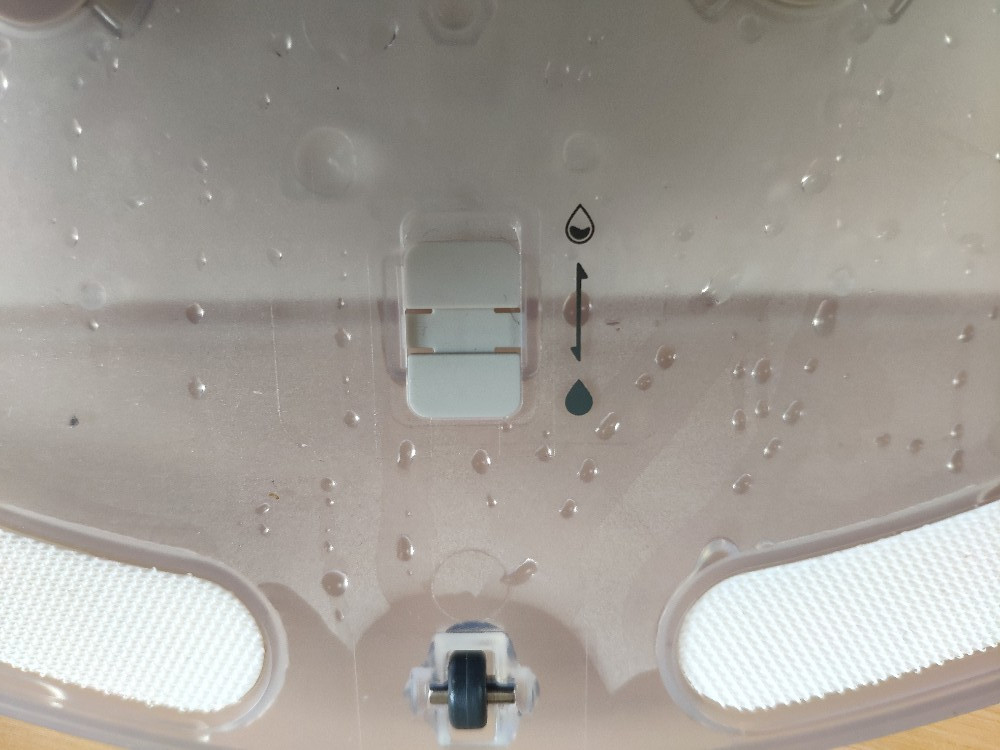
To change water supply speed, you need to toggle the switch on the water tank under the mopping cloth.
The new advanced water tank adjusts water level dripping depending on your mopping needs
There are two water filters in the mopping pad that filter water and supply it to the cloth. Those filters can be easily replaced as needed. From time to time, it's recommended to clean the filters since they can get clogged.
In the box are 10 disposable wipes and two microfiber mops, one of which is attached to the water tank. The water tank is not big, it is the same 150 ml container we've seen in the S5.
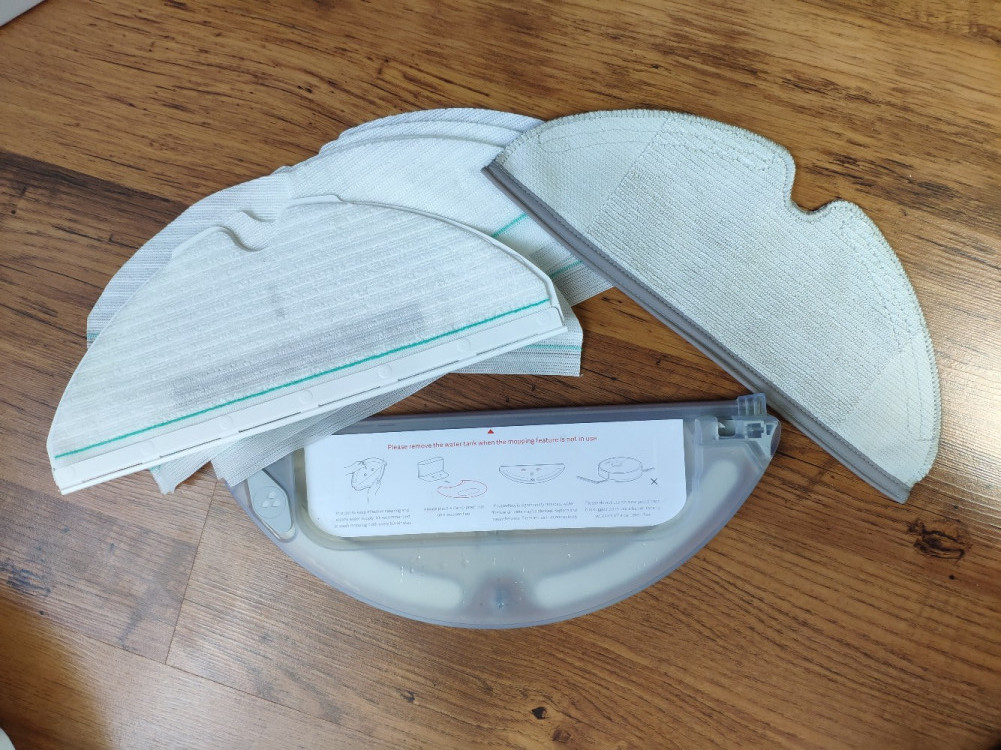
The manufacturer claims that the device is able to mop for about 50-60 minutes, but in my experience, it has never been longer than 40 minutes until the tank gets dry. In case it is not enough for you to cover the entire house, just fill the container with water again and let the robot continue.
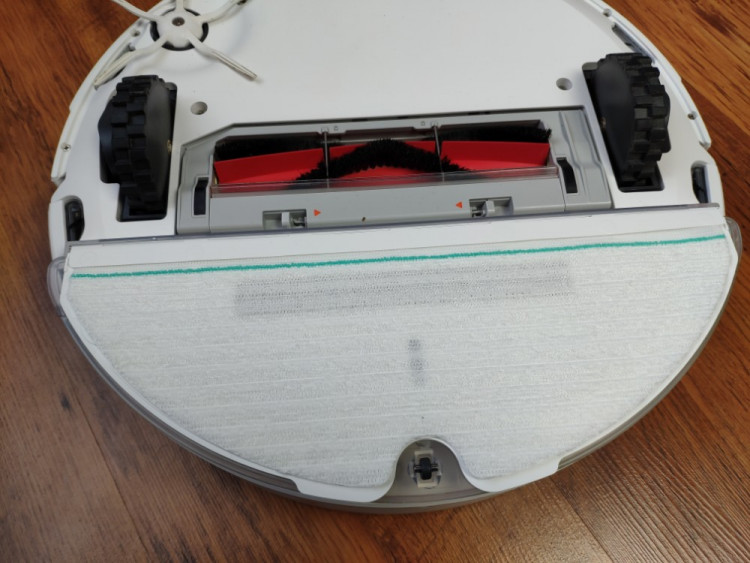
In mopping mode, the Roborock also follows the map it created navigating in straight lines. But how do you use the mopping feature if you have mixed carpet and hardwood flooring? There is an easy solution: you can restrict the robot to go across carpets when mopping by drawing blocked areas on the map in the Mi Home app.
How about reliability and customer support?
Roborock makes the most reliable and durable products on the robot vacuum cleaners market. Hard to believe? Just check reviews on Amazon: all the Roborock models have almost 5-star ratings. It's impressive! At this moment there are no official service centers in the US and the EU, nevertheless, all of Roborock official sales partners will handle the repairs during warranty, so no worries about that. Also, Roborock is planning to open offices and service centers in the EU by the end of 2019.
All purchases of the Roborock S6 made from Roborock official partners' sales channels are entitled to a 2-year warranty, which is very impressive considering that competitors provide no more than a one-year warranty.
Conclusion & our thoughts on the Roborock S6
So what do we think of the newest robot vacuum from Roborock? Since we have tested a few models from Roborock such as the Roborock S5, Roborock Xiaowa Lite and now the Roborock S6, we have something to say about the latest one.
First, we really love the improved app. It is minimalistic, we love how the map looks and it is more user-friendly and intuitive. The new room division feature is fantastic! For example, in the newest Roomba i7+, you can change the map only once while with the Roborock, you can do it anytime you like. I was impressed that the robot divided the rooms automatically after it finished cleaning.
Second, the noise level. The Roborock S6 is not distracting. This powerful machine is not too loud, can you believe it?
In terms of cleaning performance, all the Roborock models do a superb job: I have no complaints. The Roborock S6 is no exception; it picks up my long hair, can catch even the smallest particles in the carpet and does a great job on bare floor. I also love the new rubber side brush.
No one loves cleaning a vacuum, and the Roborock S6 surprises with its new cleaning brush with detachable parts. This is essential for pet owners and those with long hair.
If you don't need the mopping feature and you don't have thick carpets, I would recommend taking a look at the Roborock S4 Max. It's the newest model that has the same intelligent features but costs less than $309.99 on Amazon.
In short: we see a great robot vacuum with a new feature that allows it to schedule by rooms, has strong suction, does a great job on thin and thick carpets, can mop, navigates faster, remembers your floor layout and can be a part of your smart home system. What else can you wish for?
Things I wish to be improved
There are some lags when I'm using the app such as connection error messages that sometimes appear, for example, when I tried to load a map. I have no idea if this problem related to the cloud server or a weak Wi-Fi between my router and the robot vacuum. At least, the manufacturer updates the app frequently, so I hope it will be fixed.
I wish the dustbin would be larger. For big houses, you'll have to empty it after each cleaning especially if you have pets.
If you need a wet mopping function, do not expect an ideal result with this robot vacuum. The robot can clean fresh stains, but it can't handle stubborn stains. Also, if you have a medium or big house, you will have to refill the water container 1-2 times per cleaning cycle.