
Roborock Maintenance Guide: How to Keep Your Robot Vacuum Running Well
A Roborock does not need much daily attention, but it does need regular maintenance. Hair around the roller, a clogged filter, dirty charging contacts or a neglected dock can reduce cleaning performance long before anything is actually “broken.”
This guide is based on long-term Roborock ownership experience and updated for newer Qrevo and Saros-style systems. The exact maintenance steps vary by model, so use your model manual for any part-specific instructions.
SmartRobotReviews may earn from qualifying purchases. Product designs and maintenance intervals vary by model.
The most important maintenance jobs are simple.
Keep the dust path clear, remove hair from moving parts, keep sensors and charging contacts clean, wash or replace mop components when dirty, and maintain the dock instead of treating it as maintenance-free.
Homes with pets, long hair, rugs and heavy daily use need more frequent checks than a small low-traffic apartment.
Roborock Maintenance Schedule
There is no perfect schedule for every home, but this is a practical baseline. Increase the frequency if you have pets, long hair or heavy debris.
- Check dustbin or dock bag
- Remove visible hair
- Rinse or replace dirty mop pads
- Check for stuck debris
- Inspect main roller and side brush
- Clean filter as allowed by model
- Wipe sensors and contacts
- Clean front caster wheel
- Deep-clean dock tray/base
- Inspect seals and water paths
- Check consumables for wear
- Review app maintenance counters
Empty the Dustbin Before Airflow Drops
A full dustbin is not the only reason to empty it. Fine dust, pet hair and compacted debris can restrict airflow before the bin looks completely full.
If your Roborock does not use a self-emptying dock, check the bin after heavy whole-home runs. Pet homes may need attention after every cleaning cycle, while a low-traffic apartment can often go much longer.
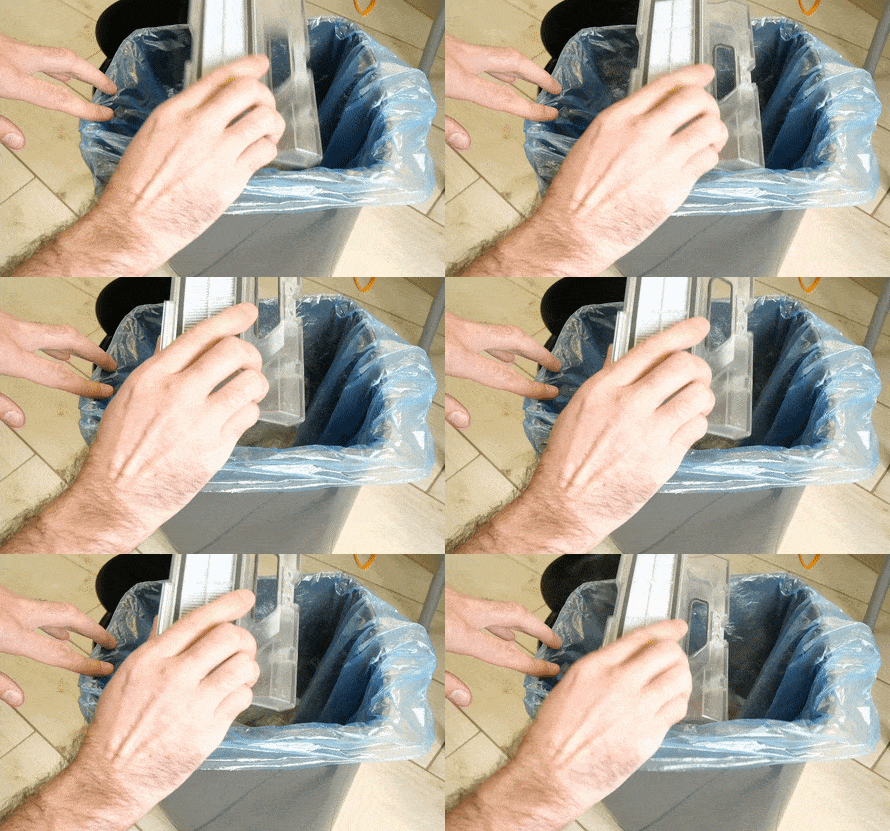
If you have a self-emptying dock
You still need to inspect the robot bin occasionally. Hair, clumped debris or objects can interfere with the evacuation path, especially in homes with pets.
For a deeper ownership comparison, see Self-Emptying vs Self-Washing Robot Vacuum Docks.
Clean the Filter Without Damaging It
Filter care is one of the easiest ways to keep airflow and suction consistent. The important part is following the instructions for your exact model rather than assuming every Roborock filter should be treated the same way.
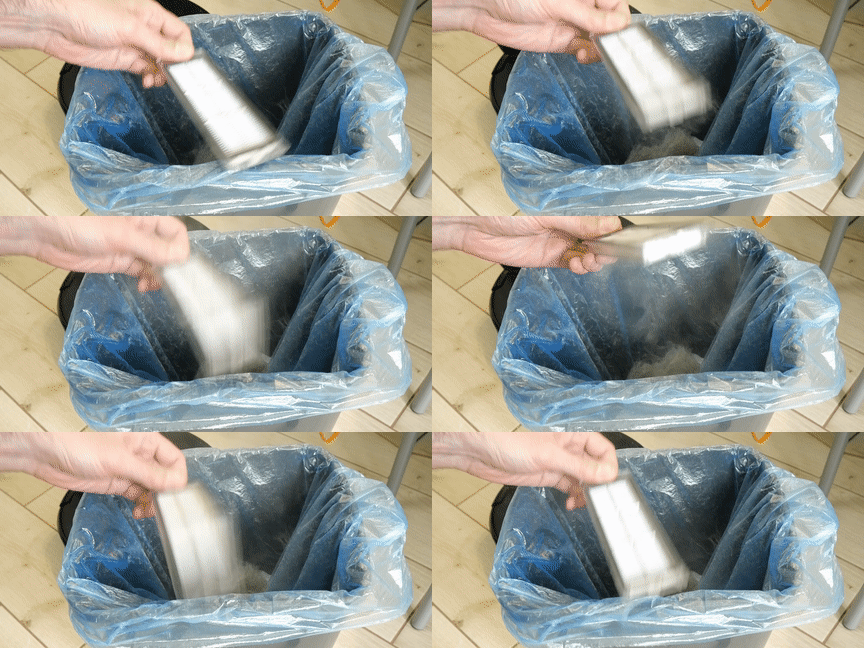
Do
- Tap out loose dust gently
- Rinse only if the manual says the filter is washable
- Use clean water without detergent unless instructed otherwise
- Let it air-dry completely before reinstalling
Avoid
- Installing a damp filter
- Using high heat to dry it
- Damaging pleats with sharp tools
- Using aggressive compressed air at close range
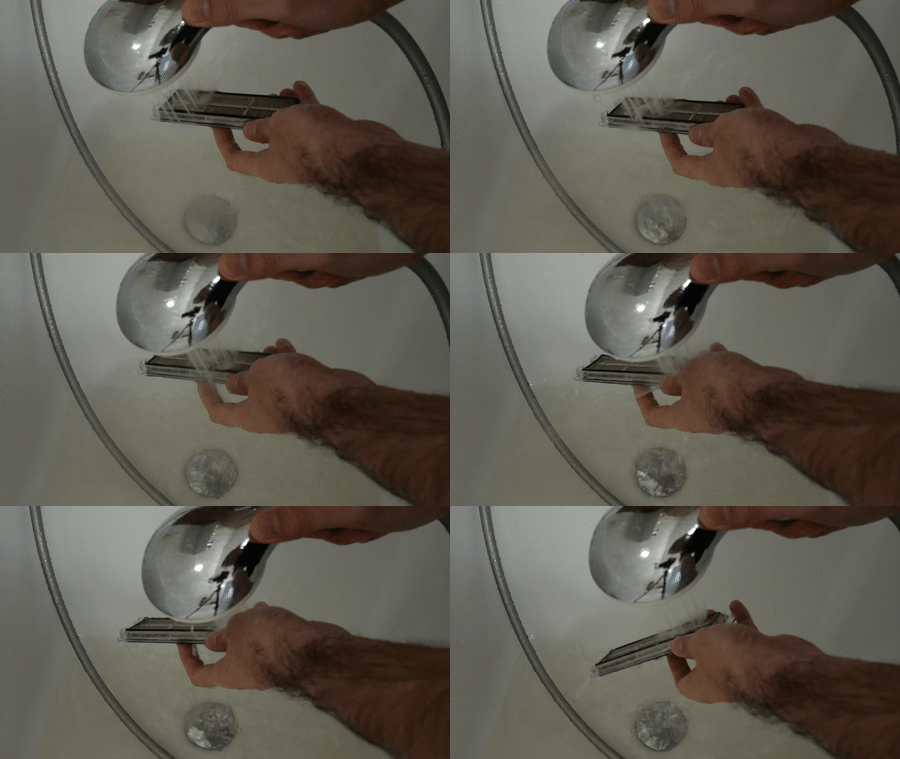
If suction feels weak even after the bin and roller are clean, inspect the filter for deep clogging or damage. A filter can look acceptable while still restricting airflow.
Clean the Main Roller and Side Brush
Long hair and pet hair usually create the highest maintenance burden around the main roller, brush ends and axles. Newer Roborock anti-tangle systems reduce this problem, but they do not eliminate it in every home.
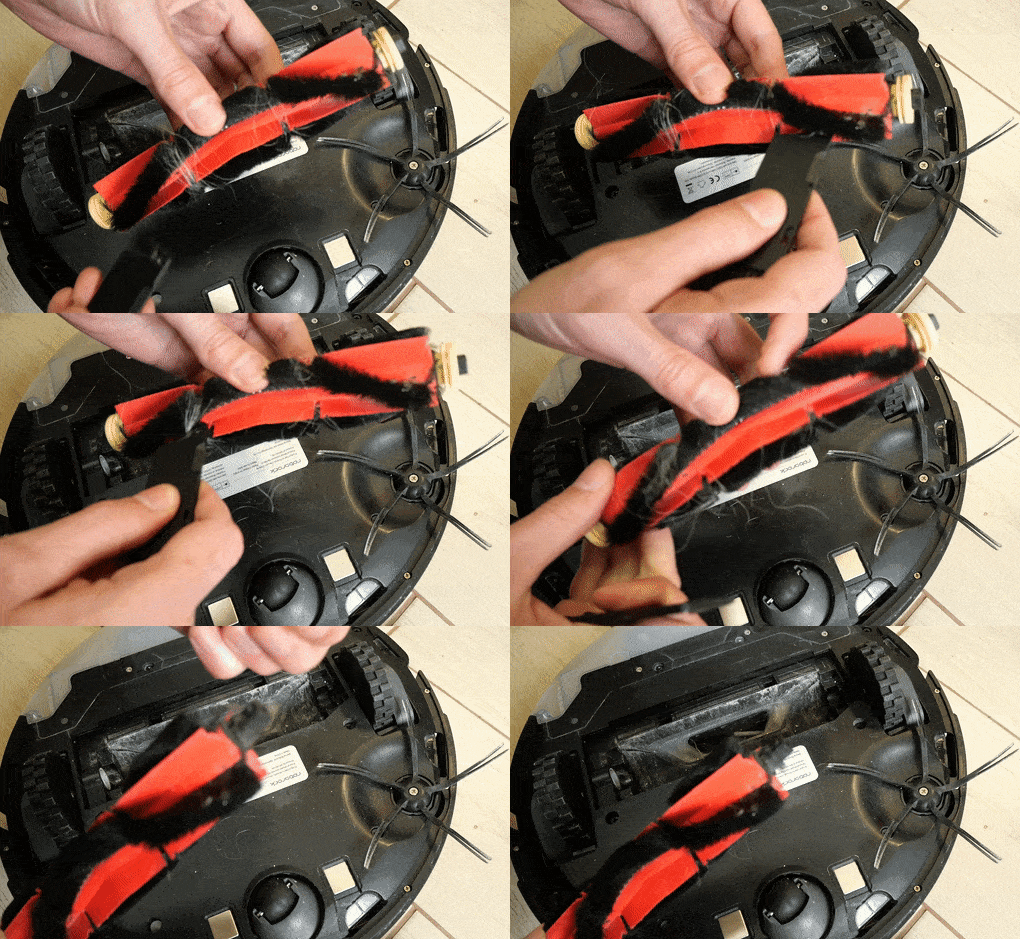
If someone in the home has long hair, inspect the main roller weekly at first. Once you know how quickly your household creates tangles, you can adjust the schedule.
When to replace the main roller
- Rubber fins are torn, cracked or permanently distorted.
- Bristles are badly flattened or damaged.
- The roller no longer spins freely after cleaning.
- Cleaning performance remains poor despite a clean bin and filter.
Side brush maintenance
The side brush usually collects less hair than the main roller, but strands can still wrap around its shaft. Remove the brush if needed and clean the mounting point as well as the visible bristles.
If the brush is permanently bent, replace it rather than trying to reshape damaged bristles.
Mop Pad, Roller Mop and Water-System Care
Older Roborock models used simple removable mop cloths. Current Qrevo and Saros models can use spinning pads, sonic systems or roller-style mopping, so maintenance now depends heavily on the platform.
If water flow looks uneven
Start with the simple checks: confirm the tank is seated correctly, the mop module is installed properly, the pad is not overloaded with residue and any user-accessible outlet is clear.
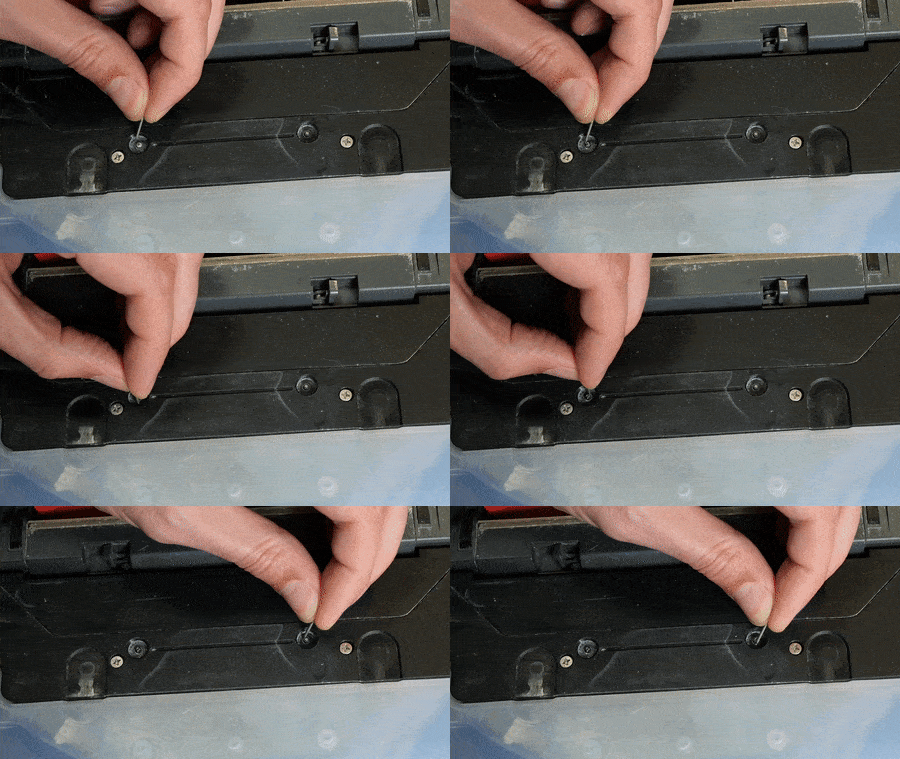
If mopping is your priority, compare current systems in our Best Robot Mops guide.
Clean Sensors, Cameras and Charging Contacts
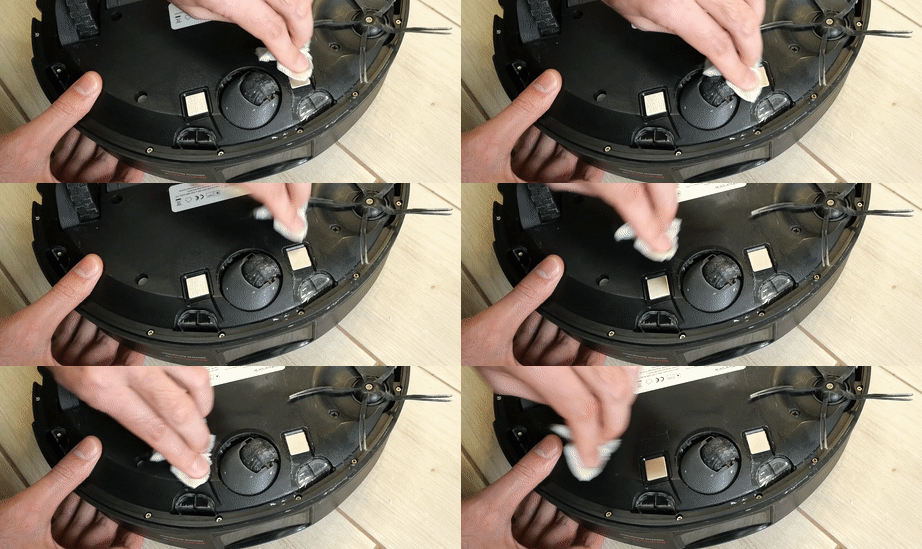
Dirty sensors can cause strange navigation, missed areas, docking problems or cliff-sensor errors. Use a soft dry cloth or a slightly damp cloth only where the manual allows it.
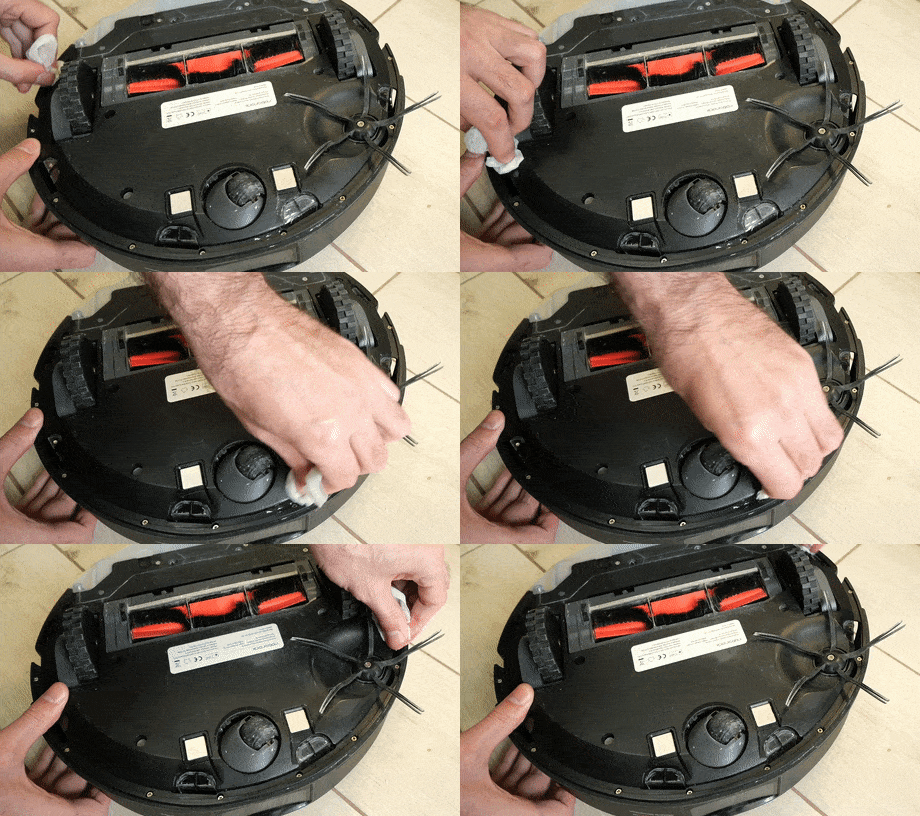
Also inspect charging contacts on both the robot and dock. Dirt or oxidation can cause intermittent charging even when the robot appears to dock correctly.
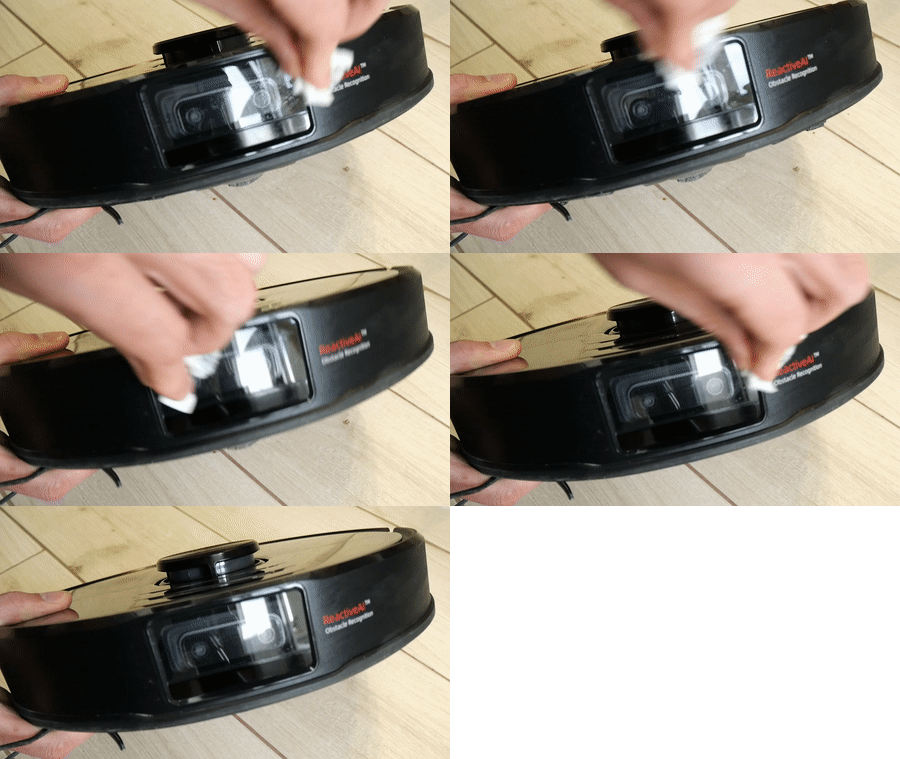
LiDAR windows, front cameras and structured-light sensors generally need only occasional wiping unless you can see contamination or the robot starts navigating poorly.
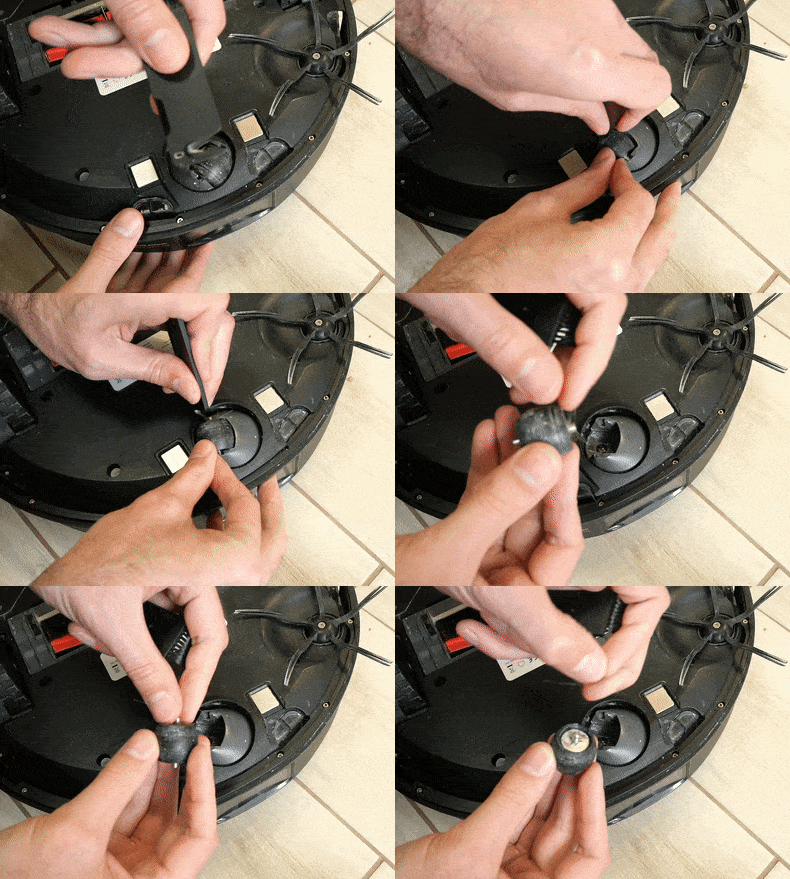
Check the Wheels and Front Caster
The large drive wheels usually need little attention, but hair can accumulate around the front caster. If the robot starts sounding rough, turning badly or dragging, inspect the caster and wheel wells for hair or thread.
If room-to-room transitions are the bigger problem, maintenance may not be the answer. See How High a Threshold Can a Robot Vacuum Cross?
Maintain the Dock, Not Just the Robot
On newer Roborock models, the dock can require more maintenance than the robot itself. Qrevo and Saros docks may handle dust emptying, mop washing, drying, clean water, dirty water and automatic detergent or refill functions depending on the model.
Regular dock checks
- Empty dirty-water tanks promptly
- Refill clean-water tanks
- Check the dust bag before it overfills
- Remove debris from the wash tray or base
- Wipe dock sensors and charging contacts
Signs the dock needs attention
- Persistent odor
- Water left standing in the wash area
- Mops remain visibly dirty
- Dustbin fails to empty completely
- Robot docks but does not charge reliably
If you are shopping rather than maintaining, see our Roborock Qrevo Series guide and Roborock Saros hub to understand how much dock automation each tier adds.
When Should You Replace Roborock Consumables?
Use the Roborock app as a reminder system, not an absolute rule. Environmental conditions vary too much for one fixed schedule to work for every home.
| Part | Replace When | Do Not Replace Just Because... |
|---|---|---|
| Main roller | Rubber is torn, bristles are badly worn or it no longer spins freely | The app timer says 0% |
| Side brush | Bristles stay deformed or the hub is damaged | It looks dusty |
| Filter | Airflow remains weak after proper cleaning or the media is damaged | It is slightly discolored |
| Mop pad | Fibers are worn, permanently stained or no longer scrub effectively | It has been used a specific number of days |
| Dock bag | It is genuinely full or airflow through the bag is restricted | A calendar reminder appears early |
Before ordering replacements, verify the model number and part code in Roborock’s official parts list.
Troubleshooting & Ownership Help
These newer SRR guides cover the ownership questions that maintenance alone does not always solve.
More Roborock Guides
Use these Roborock-specific pages if maintenance is only part of the decision and you are comparing models, upgrading or replacing an older robot.
Roborock Maintenance FAQ
Related Guides
These broader buying guides are the best next step if maintenance has turned into a replacement or upgrade decision.
More Home Robots to Explore
As an Amazon Associate, SmartRobotReviews may earn from qualifying purchases. Product designs, maintenance intervals and compatible accessories can vary by model.